

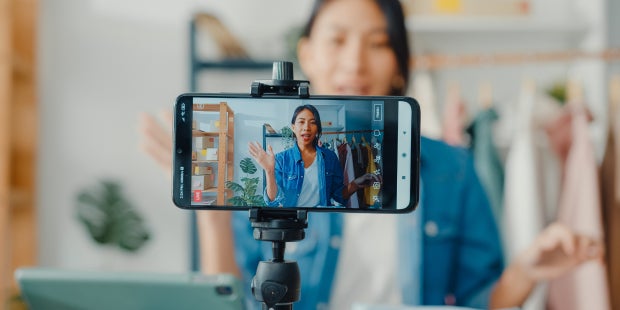
Live video is becoming an increasingly popular feature of social media apps—and while it may not feel like an obvious medium for an author, there is a lot to be gained from getting into it. Its casual nature allows an intimate and natural way of communicating with an audience. If you think livestreaming might be something worth looking into, here are some tips to get you started!
1.Know why you’re going live.
The biggest challenges of livestreaming are bringing in an audience and retaining it when you have one. If you’ve ever joined a livestream mid-conversation and found someone rambling about something unclear, you know how easy it is to swipe right by. While this format favors a casual, conversational tone, having a distinct purpose that you can focus on and communicate to your audience can make a big difference.
To start, think about what you might like to share. For example, if you’re hosting a speaking event, streaming it on your social platforms is a great way to engage those who can’t attend in person. The downside of this option is that you might not be able to respond to questions or comments—but that means this approach may be well suited to someone completely new to livestreaming who is just looking to give the format a try. Depending on who you would like to reach, a Q&A format can also be great! If your goal is to connect with other writers, you can talk about your writing process, experiences in publishing, or things you’ve learned. Readers may be more interested in asking questions about your book, your inspirations, and what’s upcoming.
Promoting when and where you’re going live can boost your turnout. If you’re using an app with a Stories feature, you may want to upload something ahead of time that indicates the timing and what you will be talking about, to build some hype. When it’s time to go live, remember that real-time responses will be rolling in.
It can be easy to go off on a tangent, so notes on what you want to cover can bring you back to task if you stray a little. Also, most apps have a way for you to temporarily pin comments or leave an introductory message for those joining. These can be great ways to let your audience know what’s going on whenever they tune in.
2.Consider appointing a moderator.
A moderator is someone digitally assigned to manage the chat and assist with technical tasks while you focus on leading the conversation. They can maintain a safe and organized environment for you and your viewers. The internet is home to a lot of totally normal people, but the fact is that there are some bad actors out there too. If a troll enters the chat and decides to spam with messages derailing the conversation and making other viewers uncomfortable, a moderator can quickly remove them and your momentum won’t be disrupted.
Moderators are assigned a badge to let viewers know that they are working with you and monitoring the conversation. They can help you keep the conversation focused by answering FAQs in the chat. This position is best suited to someone you know personally, whom you can communicate with via text or another messaging app if anything comes up.
3.Learn to use the best livestreams for each app.
Depending on the app, livestreams can either serve as a powerful tool for discovery and promotion or function much like a newsletter, connecting you with the most dedicated members of your community. This depends on how a platform’s algorithm prioritizes live content.
On Meta apps, like Facebook and Instagram, live streaming feels more community-based than promotional. Since Meta notifies users whenever someone they follow goes live, it is optimal to be strategic about when you do so. Having a usual go-live time each week is ideal, but you want to avoid going live more than once per day. The notifications can become tedious if they appear too frequently and that might drive people to unfollow.
On an app like TikTok, live videos have their own feed and are often included on the all-powerful “For You” page, driving discovery and account growth. Engagement is everything on that platform. It may feel awkward, but it is very common to frequently ask your audience to send likes (you can even set numeric goals for your audience to reach) to help a video surface in the algorithm for more people to see. Another pro tip: Post around your livestream to add momentum. TikTok recommends scheduling a post to upload just before or during your livestream, but you can also try posting after, to drive attention toward the post from leaving viewers.
4.Collaboration boosts viewership.
This one’s pretty simple: Any form of collaboration is a great way to boost audience turnout. A lot of apps have a feature that allows you and other creators (sometimes more than three people at once) to go live together. If you would like to leverage this for an author x author interview, make sure you both promote it to your audiences ahead of time and leave plenty of time on the agenda for a fun Q&A.
5.Live formats can be monetized or paired with subscriptions.
Monetization on social media can be quite the beast to understand, but here’s a little cheat sheet. In the live format, monetization takes the form of digital gifts people can send or a subscription where your audience members pay a monthly fee for access to specific content (sometimes the livestream itself) and perks. Access to these features may require a certain type of account, number of followers, or another similar metric to be eligible. I recommend checking out the creator blog of whichever platform you use for more information on this.
6.Get familiar with the studio tools the app provides.
Many social media platforms have a production center to help you control the more intricate details of your live video for a smoother, more intuitive experience. Features can vary from app to app, and these control centers are usually available on both mobile and desktop. Note that the desktop versions typically have more customizations available.
Cool features may include polls and Q&A modules you can share with your live audience. In these control centers, you can assign your moderators and write your introductory message. Instagram also has a live archive, so you can source content from your previous livestreams to repost as Reels. I highly recommend experimenting with these (just be careful not to accidentally go live!) or checking out the creator blog for more details. Meta even has a Live Creator Bootcamp series with tips and tricks to get you started.
7.Other pro tips
The reality about livestreams, especially when you are just starting out, is that preparedness makes all the difference. Unless you are using advanced software to delay your feed, what you say and do will be immediately seen by your audience, so there’s not a lot of leeway for big mistakes. It may be helpful to keep a checklist of things to remind yourself of before you hit ‘GO LIVE.’ We’ll start you off with a few good ones to keep in mind.
- Take your time: Don’t let the nature of “live” make you rush. A pause is not the end of the world and is a million times better than sharing something you didn’t mean to.
- Before you start, scan your filming area for any identifying or compromising information that you would not want your whole audience to see.
- Make sure that whomever you share your space with knows when and where you’re filming. In a post-lockdown world, this may seem obvious, but it can never hurt to lock the door or put up a sign to prevent a potentially embarrassing moment.
- Try not to overload your app! If you are going live on TikTok but have both your phone and computer viewing the app while logged into your account, that will make your livestream much slower and you could face some technical difficulties.
- Make sure when you end the conversation that you actually ended the livestream. On some platforms, exiting the app is not enough, you must distinctly press whichever button ends it.
Finally, be prepared to receive those who show up. Depending on the size of your following, livestreaming can bring in a varying amount of people. If you’re starting out, that number may be low. Just know that this isn’t a loss. Having an authentic conversation with one or two dedicated and interested people can mean a lot more than you know! Let the conversation be loose and fun. If you find that the conversation has pivoted, but you’re retaining the viewers present, it’s totally okay to just roll with it.
Jacky Bethea is the Associate Manager of Author Development at Penguin Random House.